MOKiN USB C HUB USB 3.0 Docking Station RJ45 Gigabit Ethernet USB Type-C to Dual HDMI VGA For Macbook Air Pro iPad Pro SD Reader
Dear friend, Welcome to MOKiN store,
there are 6 different models to choose from, please select the correct model according to the port you need, if you have any questions, please feel free to contact us!
————————————————————————————————————
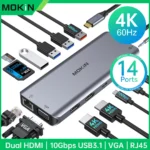
14 in 1(2HDMI 10Gbps):USB C to 4K60Hz HDMI+4K30Hz HDMI+1080P VGA+1USB A3.1+2USB A3.0+USB2.0+2USB C3.1+RJ45+Audio+SD/TF+PD
13 in 1(2HDMI DP):USB C to 4K60Hz HDMI+4K30Hz HDMI+4K60Hz DP+2USB C3.1+USB A 3.1+2USB A2.0+RJ45+Audio+SD/TF+PD
12 in 1(2HDMI 8K):USB C to 8K30Hz 2HDMI + 8K30Hz DP + 1USB-C3.1 + 1USB-A3.1 + 2USB-A2.0 + 1RJ45 + 1SD/TF + Audio/Mic +PD
10 in 1(HDMI VGA):USB C to 4K30Hz HDMI+1080P VGA+3USB3.0+RJ45+Audio+SD/TF+PD(HDMI and VGA cannot be used simultaneously)
7 in 1(2HDMI VGA):USB C to 4K60Hz HDMI+4K30Hz HDMI+VGA+2USB A2.0+USB C3.0+PD
7 in 1(HDMI USB3.0):USB C to 4K60Hz HDMI+USB C3.0+2USB A 3.0+SD/TF+PD
Description Introduction:
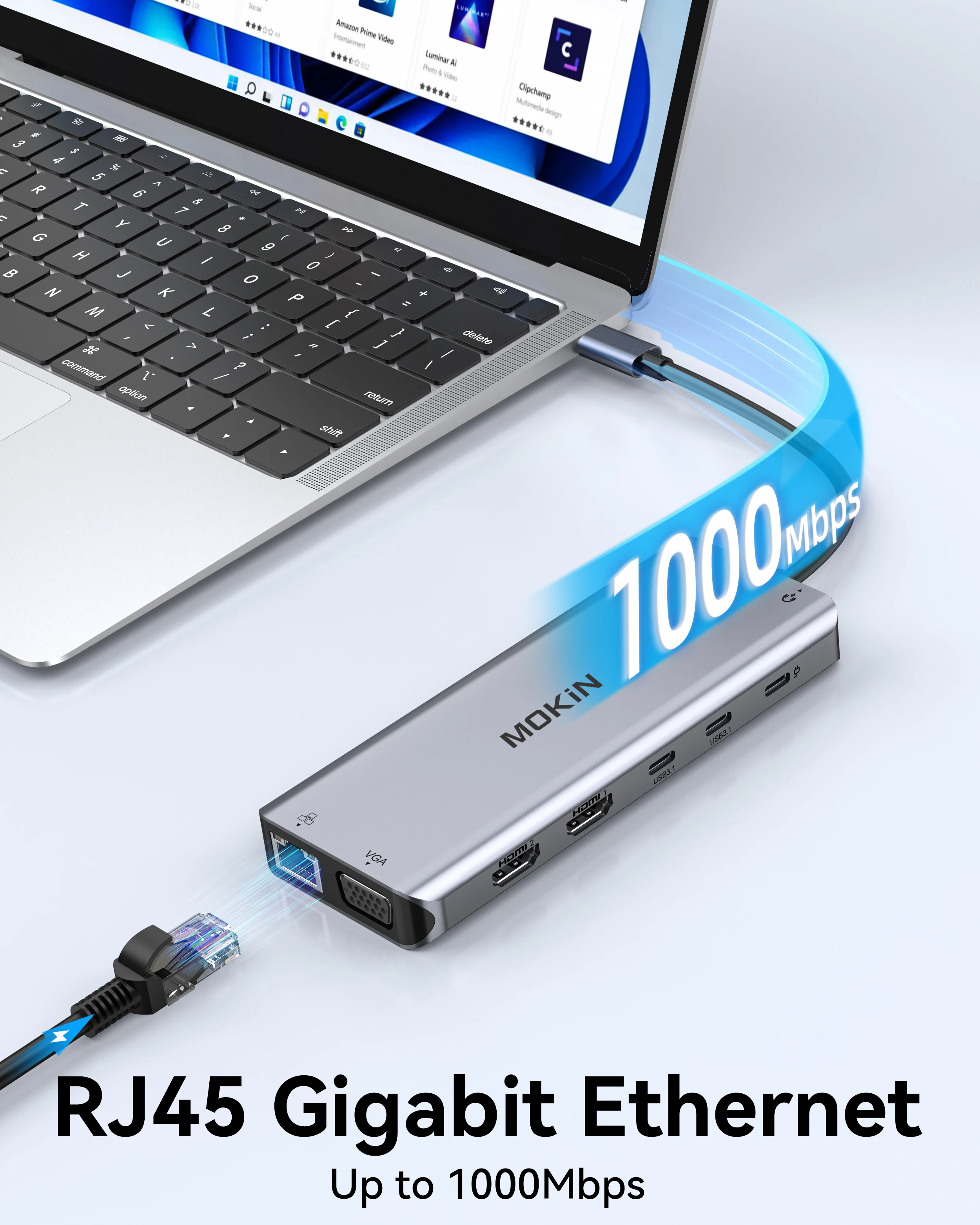
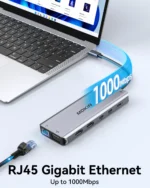
Ethernet interface: RJ45 1Gbps
HDMI Port: 4K/60hz/10bit(MAX)1080p/60hz/48bit 720p/60hz/48bit 3D/1080p /720p etc
DP Port: 4K/60hz/10bit(MAX)1080p/60hz/48bit 720p/60hz/48bit 3D/1080p /720p etc
VGA Port: 1080p/60hz/24bit 720p/60hz/24bit 480p/60hz/24bit
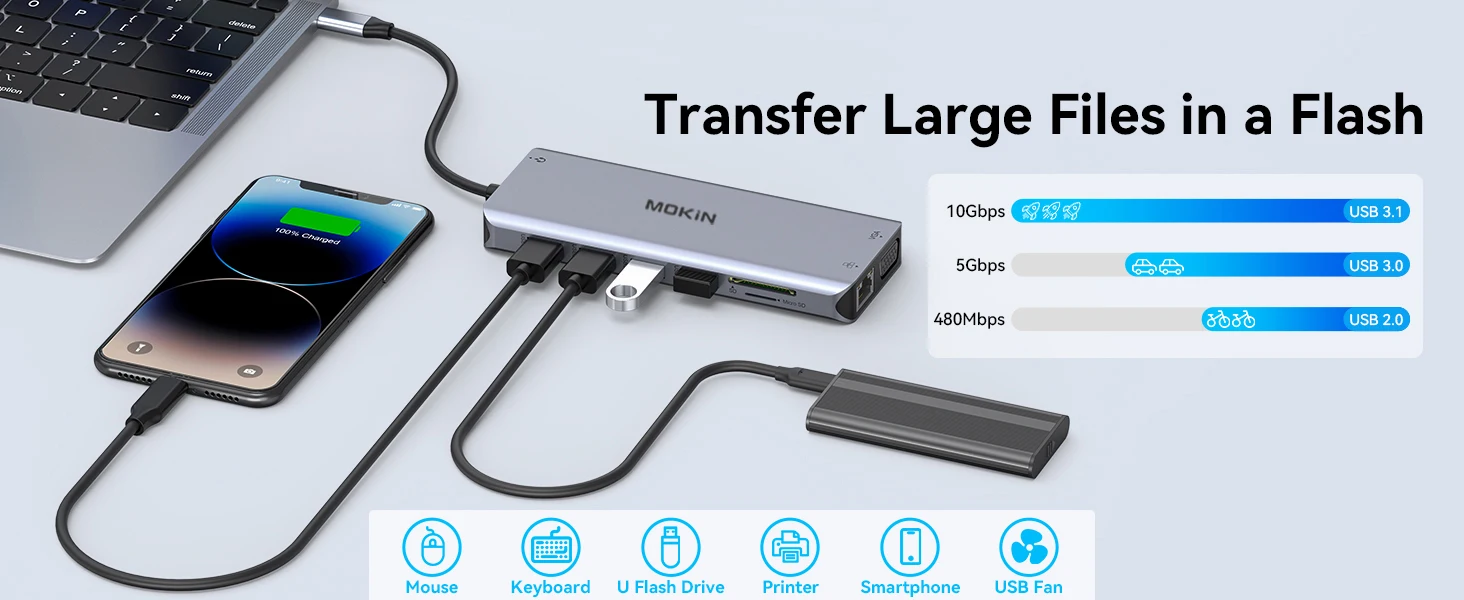
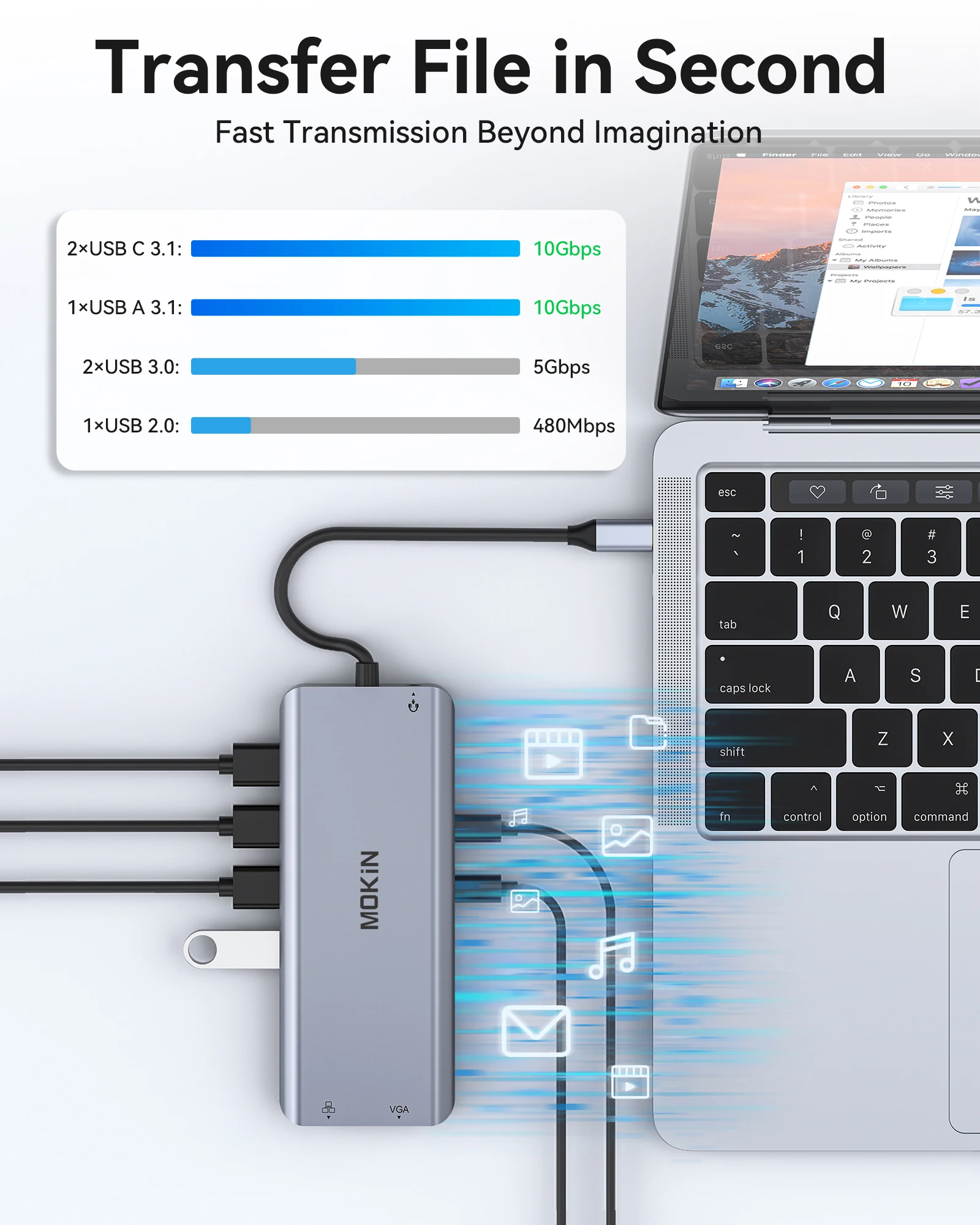
USB A 3.1(Also known as: USB 3.2 Gen 2×1): Speed up to 10Gbps, compatible with USB 3.0/USB 2.0/1.1/1.0
USB A 3.0(Also known as: USB 3.2 Gen 1×1): Speed up to 5Gbps backward compatible with USB 2.0/1.1/1.0
USB2.0 Port: Speed up to 480Mbps,backward compatible with USB1.1/1.0
SD/TF Card Reader: Read: 20-40MB/S, Write: 10-30MB/S ,(support simultaneous operation)
Audio Port: 3.5mm Audio/Microphone (TRRS, CTIA Standard)
Power Delivery 3.0: Max 100W charging, auto-adjust to the suited power. Such as 87W for Mac.
Operating System: Windows ,Mac OS, iPad OS, Chrome OS, Android OS, Linux, etc
Features:
👍 Ultimate connectivity with Multi port
👍 Supports 4K 60Hz resolution for stunning visuals
👍 Powerful PD 100W charging capability
👍 Wide compatibility with MacBook Air/Pro, iPad, and Thunderbolt Laptops
👍 Convenient built-in SD, TF, RJ45 1Gbps, and Audio ports

★14-IN-1 (USB C to 2HDMI+VGA+1USB A3.1+2USB A3.0+USB2.0+2USB C3.1+RJ45+Audio+SD/TF+PD)

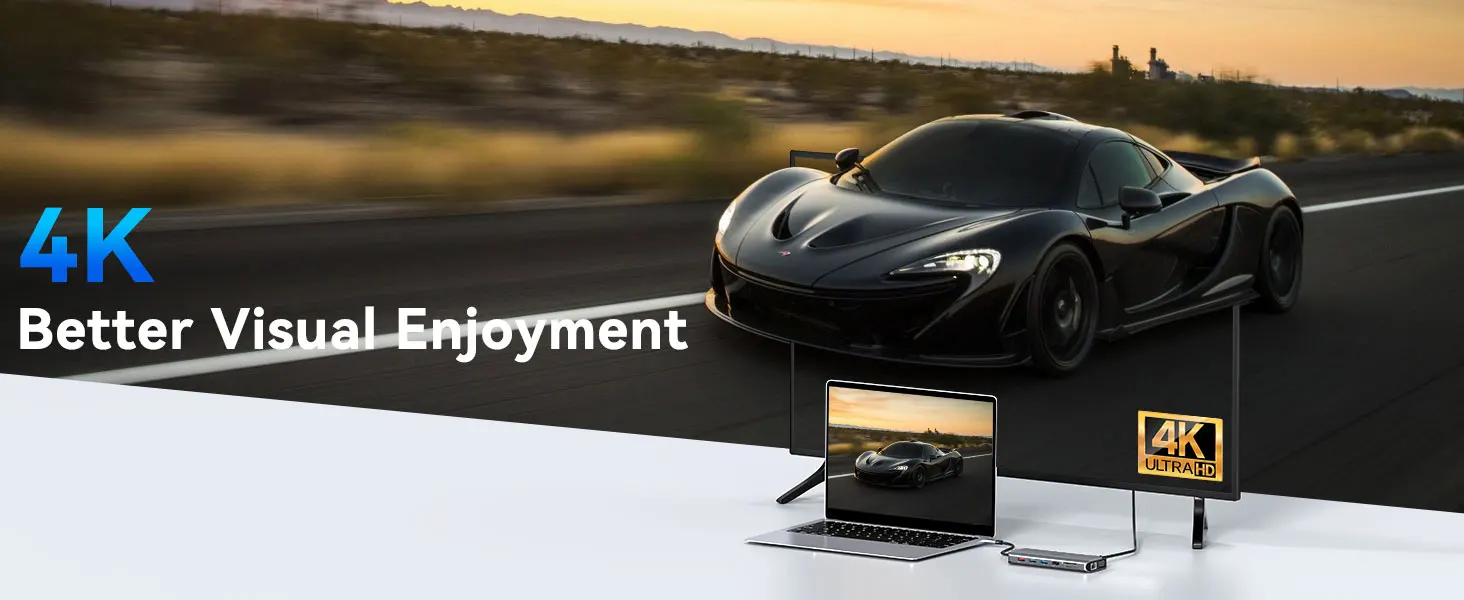
High definition display
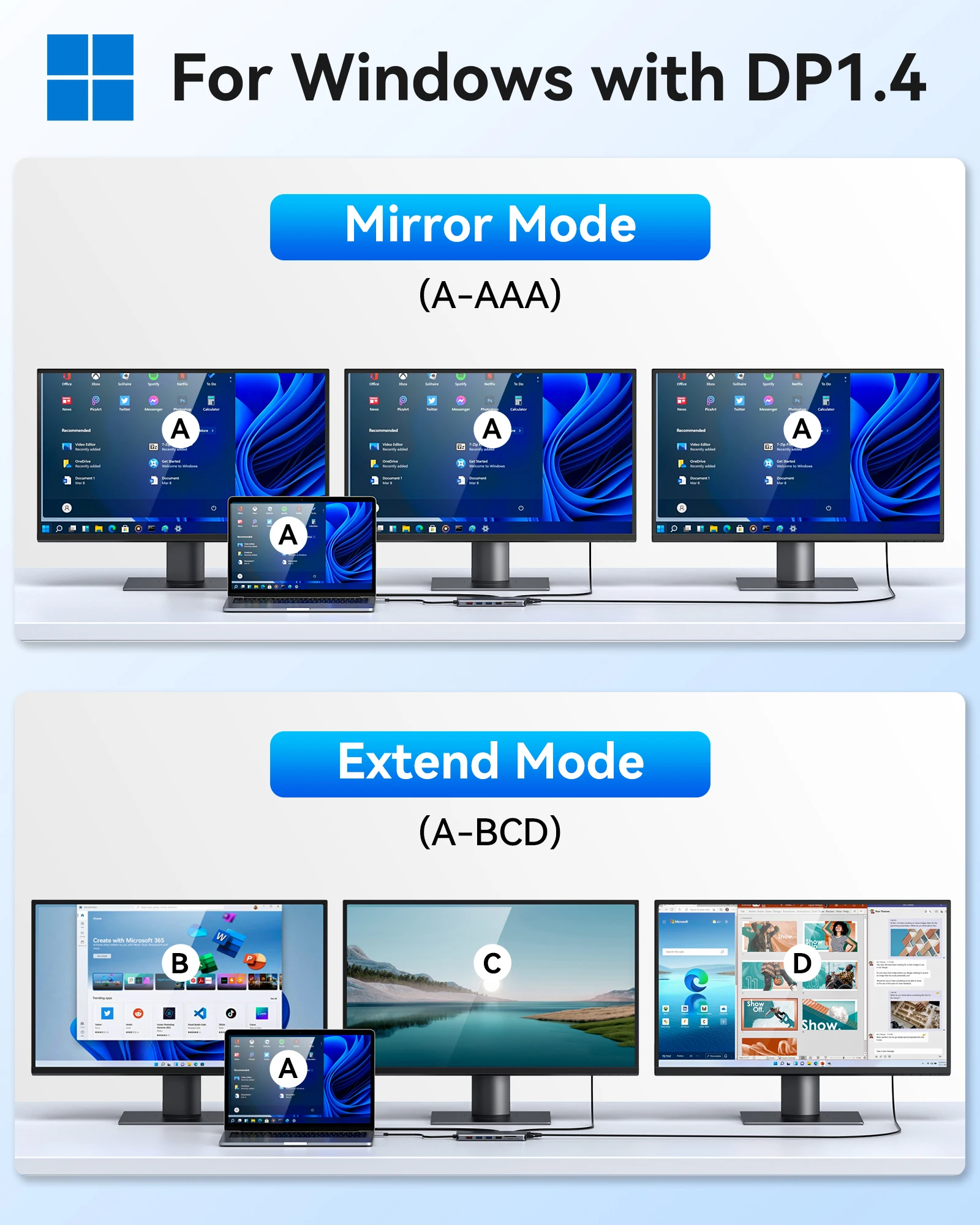
Our USB C Dock can mirror or extend laptop screen to external large screens to present 4K@60Hz(DP 1.4) Ultra-High-Definition and
High-Refresh Rate image.
Windows:
Mirror mode:AA(2 display show)AAA(3 display show)AAAA(4 display show)
Extend mode:AB(2 display show)ABC(3 display show)ABCD(4 display show)
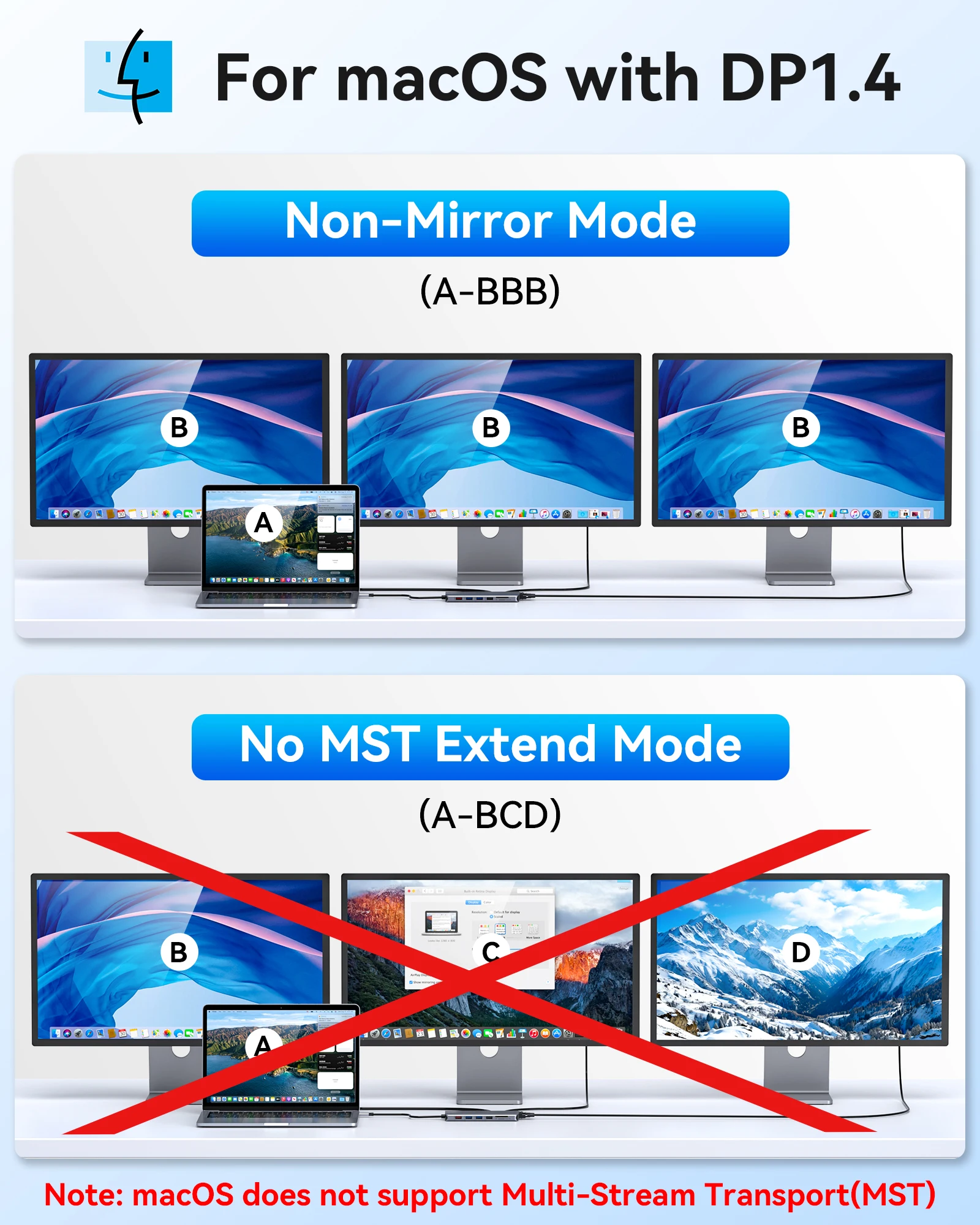
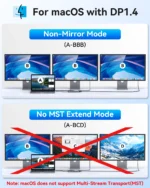
Mac OS:
Mirror mode:AA(2 display show)AAA(3 display show)AAAA(4 display show)
Extend mode:AB(2 display show)ABB(3 display show)ABB(4 display show) #Limited by Mac


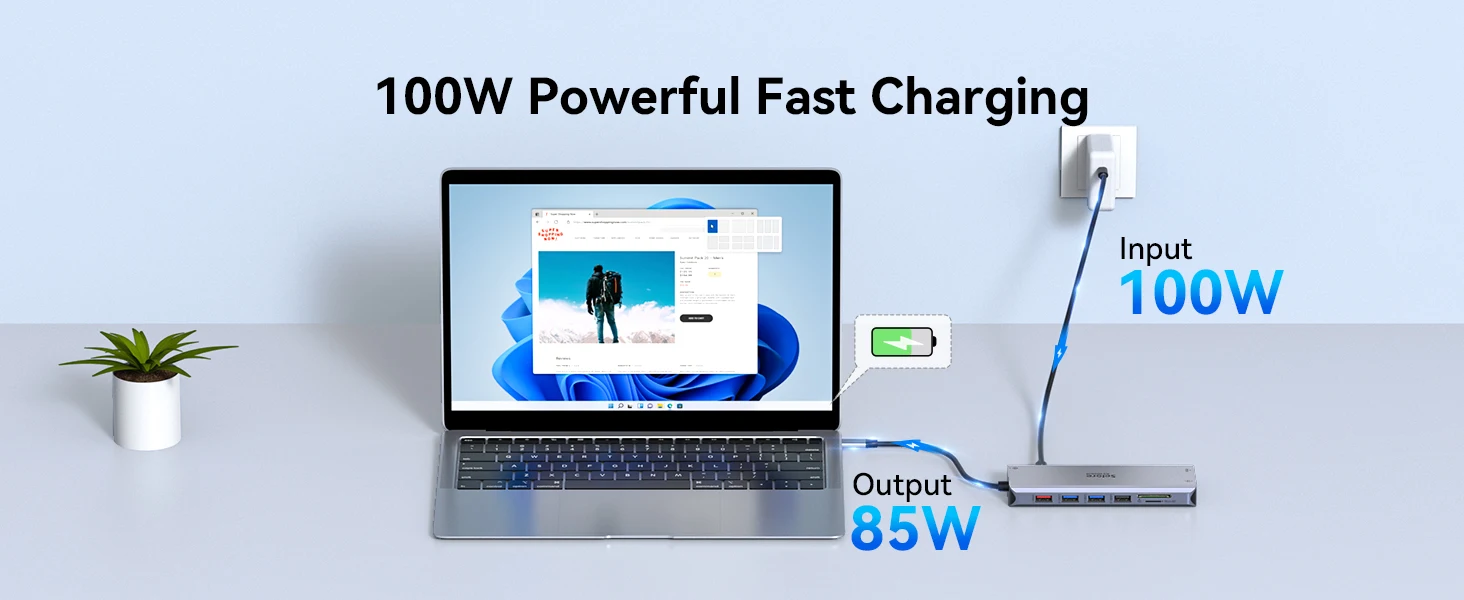
【PD 100W】Fast and Powerful Charging
100W Power Charging Port (85W safty)Provide 100W Power Delivery for your usb c laptops.
Superior Data-storing Versatility
USB 3.0 ports (up to 5Gbp/s) connect smartphones, tablet, hard drives for effortless data transfer with USB-C port.
USB 2.0, speed up to 480mb/s, it allows you to connect keyboard or mouse without any lag.
RJ45 port+ 3.5mm Audio Port
Gigabit Ethernet Lan port: No driver is needed. Just PLUG AND PLAY. Support 10/100/1000 Ethernet and make your work effective.


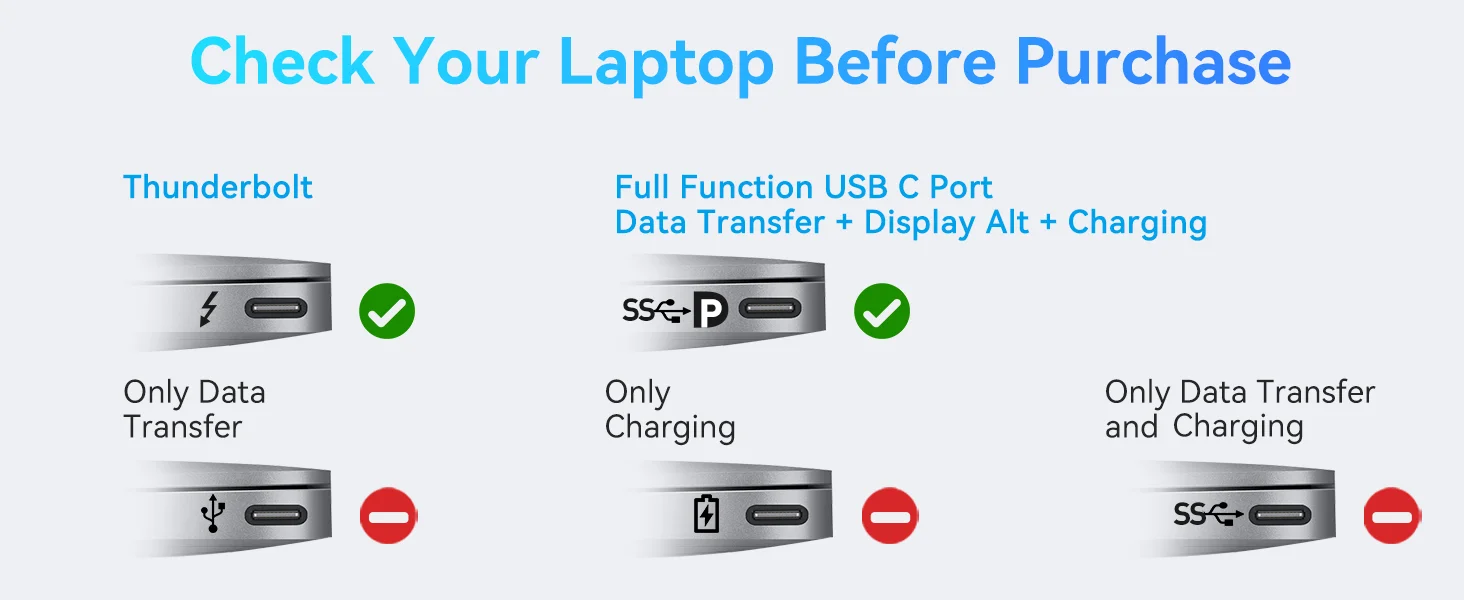
Compatibility


Note:
We understand that there is currently a wide variety of notebooks available.
Kindly checking and make sure that your device has one of Thunderbolt 3/4, full-function USB C port (supports Displayport/ DP Alt mode), USB 4.0.

FAQ
🙋Q:Why the Resolution can’t achieve 4K@60HZ ?
👉A: Makesure both your monitor and host laptop support 4K@60Hz video output, otherwise, and only using single HDMI will achieve 4K@60HZ.
🙋Q:Sometimes WiFi stopped working while hard disk connected to hub, how to do?
👉A: 2.4Gnetwork is easily disturbed. You can switch to 5G network. Or you can adjust the placement of the hard disk, move to suitable place.
🙋Q:If display stopped after connect high current hard disk, how to do?
👉A: Must be charged. Please supply power by power adapter.
🙋Q: What to do if the HDMI monitor is not recognized by your laptop
👉A: 1. Make sure your laptop’s USB C port supports DisplayPort/video output.
2. Check your HDMI cable and monitor. (Connect the monitor to the laptop directly, see if it works)
3. Provide sufficient power supply from the USB C hub.
🙋Q:Why is the screen sometimes black?
👉A: The reason why the screen is black is that the power consumption of the docking station is too high, so you need to charge the laptop through the charging port on the docking station, so you can solve the problem of black screen of the display.

✔ 7 Days Return
Enjoy 7 days to return if any quality problems.
✔ 24 Hours Delivery Time
Most items will be shipped within 24 hours.
✔ 1 Year Warranty
All products have 1 year warranty from our store.
✔ 24 hours Online Service
All emails will be answered with in 24 hours.


 Smart watches wood edition
$599.00 + Shipping Charge
Smart watches wood edition
$599.00 + Shipping Charge
 iPhone dock
$49.00 + Shipping Charge
iPhone dock
$49.00 + Shipping Charge
 Ornare auctor
$429.00 + Shipping Charge
Ornare auctor
$429.00 + Shipping Charge
 Henectus tincidunt
$22.00 + Shipping Charge
Henectus tincidunt
$22.00 + Shipping Charge































Reviews
There are no reviews yet.